

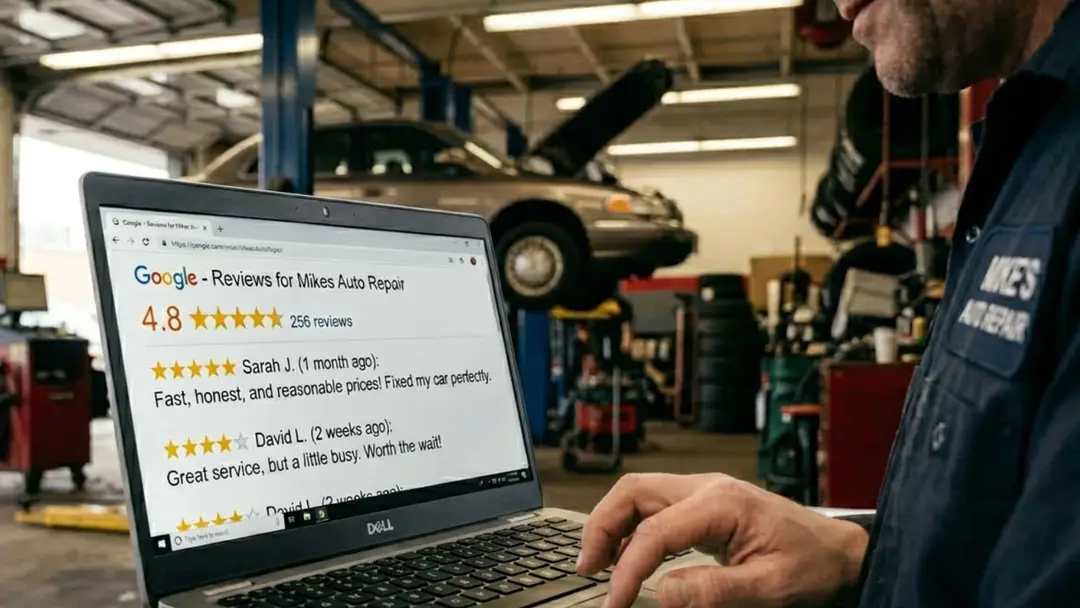
A practitioner's playbook for building a review engine that compounds, not a one‑week push that fizzles — and that stays inside Google's 2025–2026 rules.
A shop owner posts in a Facebook group at 9:47 on a Tuesday night. He owns a clean operation, ten years in, sharp techs, the kind of shop where the waiting room smells like coffee instead of stale tires.
His post says: “Only 27 reviews. How do I get more without being annoying?”
The replies roll in. Buy a review‑gen tool. Bribe customers with free oil changes. Print a sign for the counter. Send a text. Two of those tactics violate Google’s terms.
One of them works for about three weeks and then dies. The fourth is most of the answer, but only if the underlying data is clean.
Here is the part nobody tells him. The dealership two miles down the road has 2,000 reviews. The competing shop he beats on quality every single day has 280. He has 27. That gap is not just embarrassing.
It is bleeding leads he is already paying for. Every click that lands on his Google Business Profile, sees 27 reviews, then bounces to the shop with 280, was a lead he paid for in time, brand work, and rent on a good location. The leak is in the conversion step, not the awareness step.
So let’s stop chasing the symptom. We are going to look at what Google actually reads when it weighs reviews, how 2025–2026 policy updates changed the rules on *how* you can ask, and how to build an engine that produces reviews consistently without crossing any lines.
By the end, you will know exactly how to ask, when to ask, what tools to use, what not to do, and where the nuance really sits between “ask at the counter” and “only email later.”
A quick 2026 note on Google’s review policy (and the POS nuance)
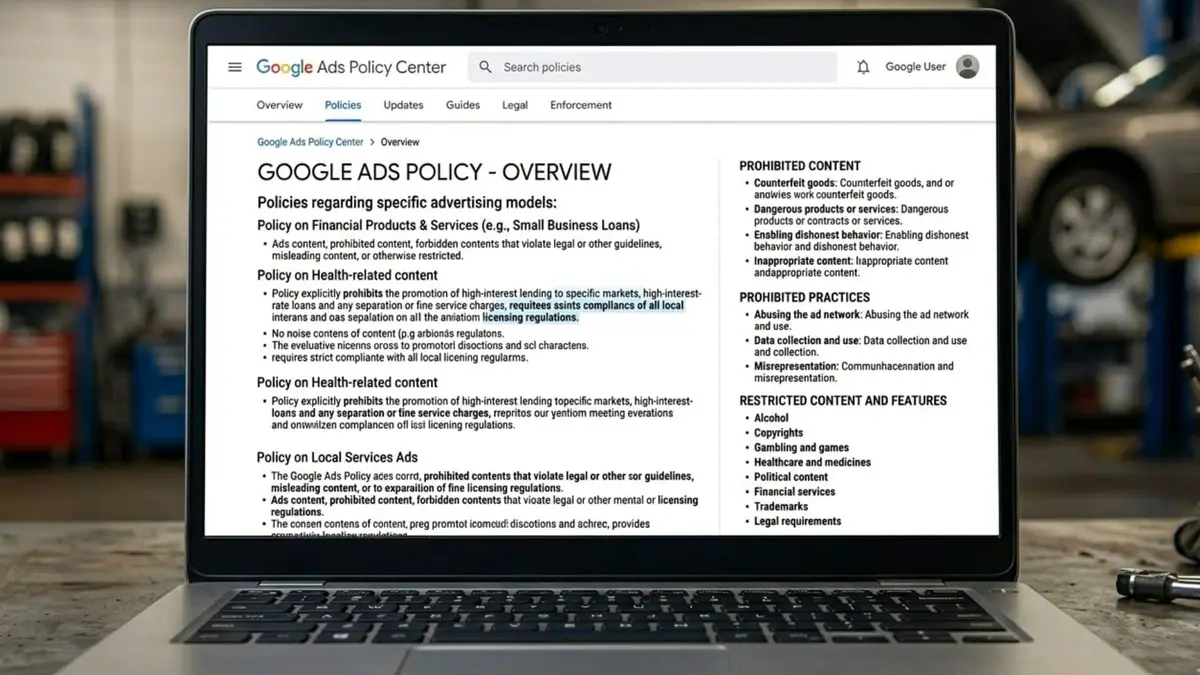
Google’s official review rules live in its Maps user‑generated content policy, its “Prohibited & restricted content” / rating‑manipulation section, and its Business Profile restrictions for policy violations. As of late 2025 and spring 2026, three ideas matter most for an auto repair shop:
Google treats rating manipulation as any attempt to directly or indirectly influence star ratings through coercion, incentives, or orchestrated campaigns (for example, heavily pressuring customers or telling them what to say).
Reviews must be genuine, voluntary, and based on real experiences — no fake content, no off‑topic rants, no “friend of the owner” reviews.
If Google detects patterns of fake or abusive engagement, it can remove reviews, pause new reviews, or restrict the profile while it cleans things up.
There is a myth floating around local SEO (and I helped spread a too‑simplistic version of it) that “asking for reviews at point of sale is against Google’s rules.” That is not what Google’s documentation actually says. What the rules say is that you cannot coerce or pressure people, cannot require reviews as part of the checkout, and cannot run manufactured review campaigns, especially if they produce suspicious on‑premise patterns like lots of reviews from the same device or network.
The nuance:
You are allowed to ask for reviews and give customers a link or QR to make it easier — including on receipts and in your waiting room.
You are not allowed to force reviews at the counter, stand over customers while they write them, or run “review kiosks” on a shared shop tablet or computer that funnels lots of reviews from the same device/IP.
Earlier, I drew too straight a line between “point‑of‑sale ask” and “reviews getting removed.” The more accurate line, based on Google’s current policies and enforcement, is between coerced, on‑premise, same‑device patterns and voluntary, customer‑driven reviews that often happen later on the customer’s own device.
This article is written with those 2025–2026 policies in mind and links to the relevant Google support pages at the end.
What Google Actually Reads When It Reads Reviews
Most shop owners think Google reads one thing: the number next to the star icon. It reads four. And if you only build for the first one, you spend six months collecting reviews and barely move in the local pack.
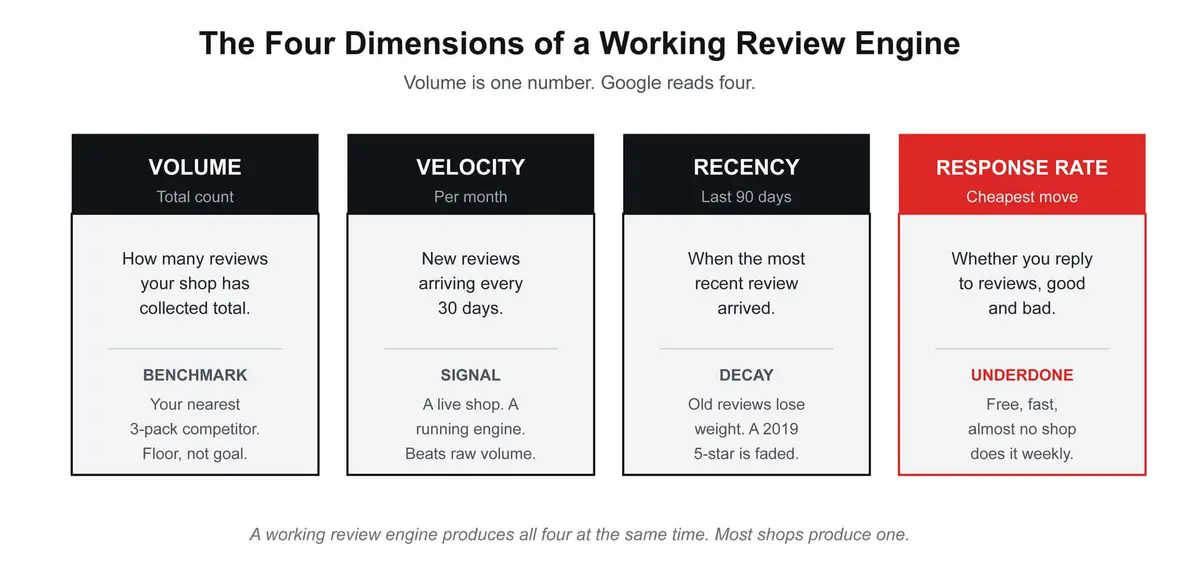
The shops winning the 3‑pack are not the ones with the highest raw count. They are the ones producing all four at the same time. A 2025 study of 2,260 auto repair Google Business Profiles found Position 1 shops averaged a bit over 2,100 reviews while Position 10 shops averaged just under 1,900.
The gap is real but smaller than you might expect, and what closes it on the way up is rarely raw volume alone. It is velocity, recency, and response, applied for twelve months in a row.
The first read: if you have 47 reviews, zero in the last 90 days, and you have never replied to a single one, you do not have a review problem. You have a review *engine* problem. The fix is the engine, not a one‑week push. Reviews are also the second subsystem in how to rank in the Google 3-pack for mechanic near me, and they only count once your Google Business Profile is consolidated into one listing. The content side of the same reputation engine is what to post on social media for your auto repair shop.
The Five‑Touchpoint Review Request Stack
Reviews come from one of two places. Customers who love you so much they go look up your Google listing on their own (rare), or customers you asked at the right moment in the right way (everyone else). The owners who quietly stack 15 to 25 new reviews a month are not begging. They built a pipeline.
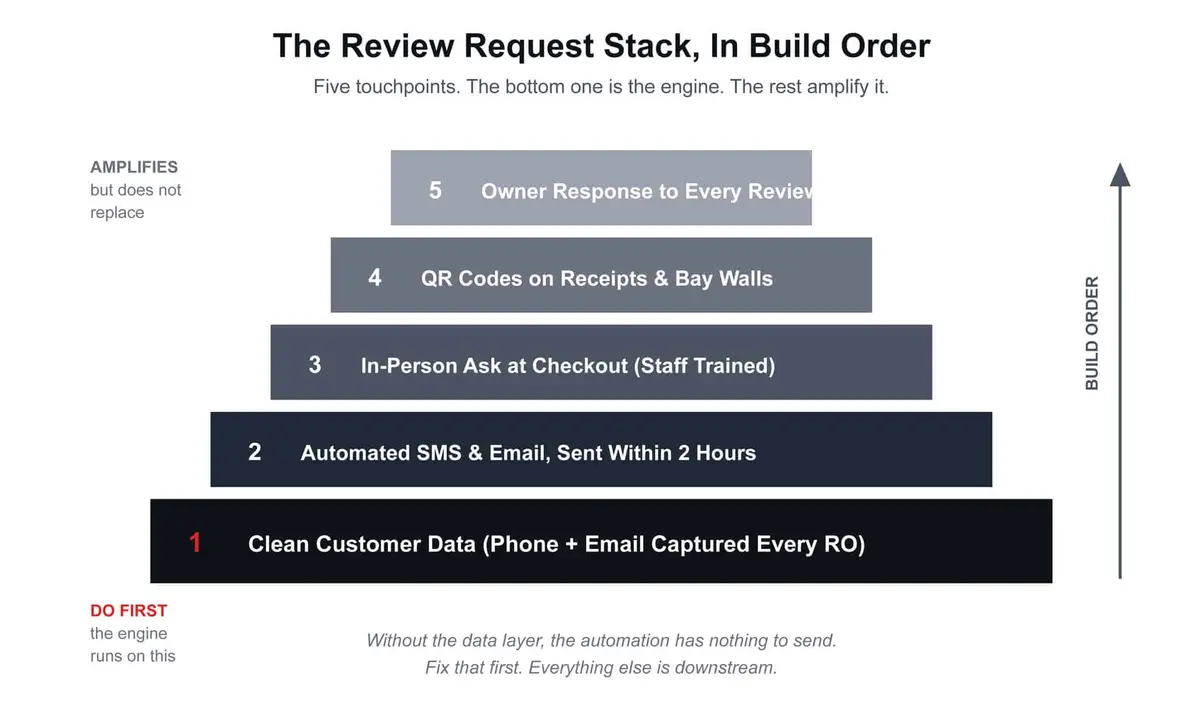
Here is the stack, in the order it needs to be built. Skipping the foundation is the single most common reason a “review automation” rollout disappoints.
1. Clean customer data is the fuel. Without it, nothing else runs.
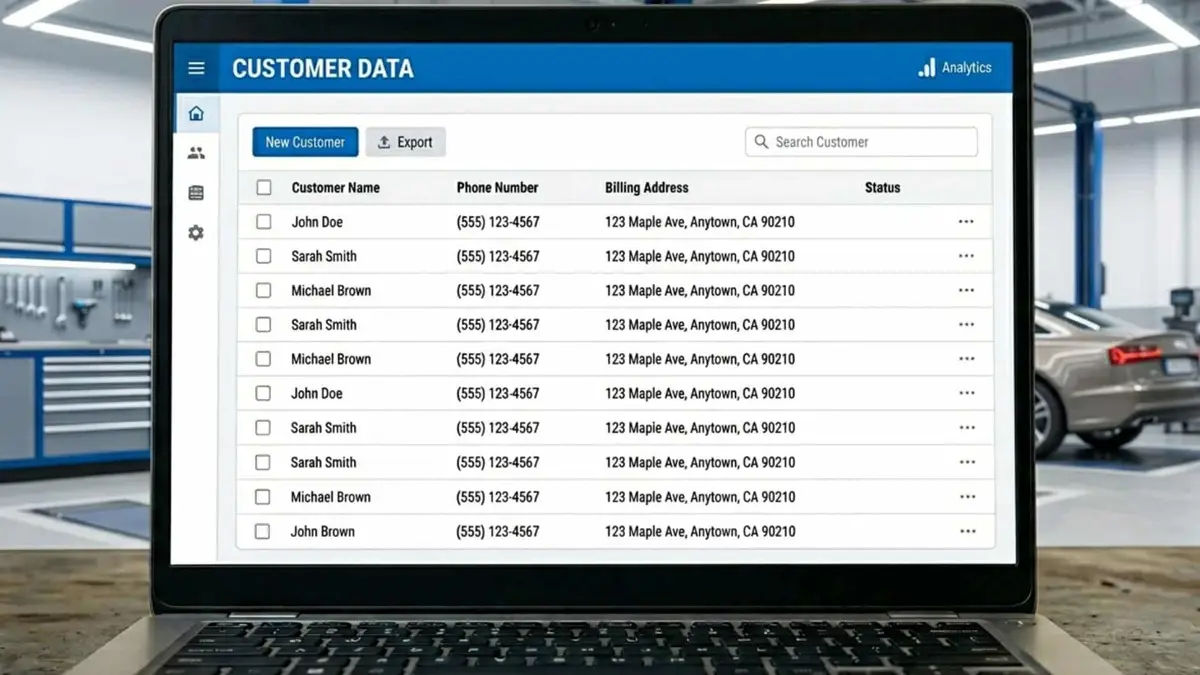
Every review request, automated or manual, starts with a mobile number and an email address attached to the right repair order. If your shop management system has 40 percent of customer phone numbers as the front desk landline, or last names misspelled, or no email field filled in, the most expensive automation tool on the market will sit idle.
The fix is unglamorous. Train the service writer to confirm phone and email at intake. Add a one‑line check at checkout. Audit the database once a quarter for blanks and obvious typos. This is the foundation. Every other layer in the stack feeds from it.
2. Automated SMS and email within two hours of completion
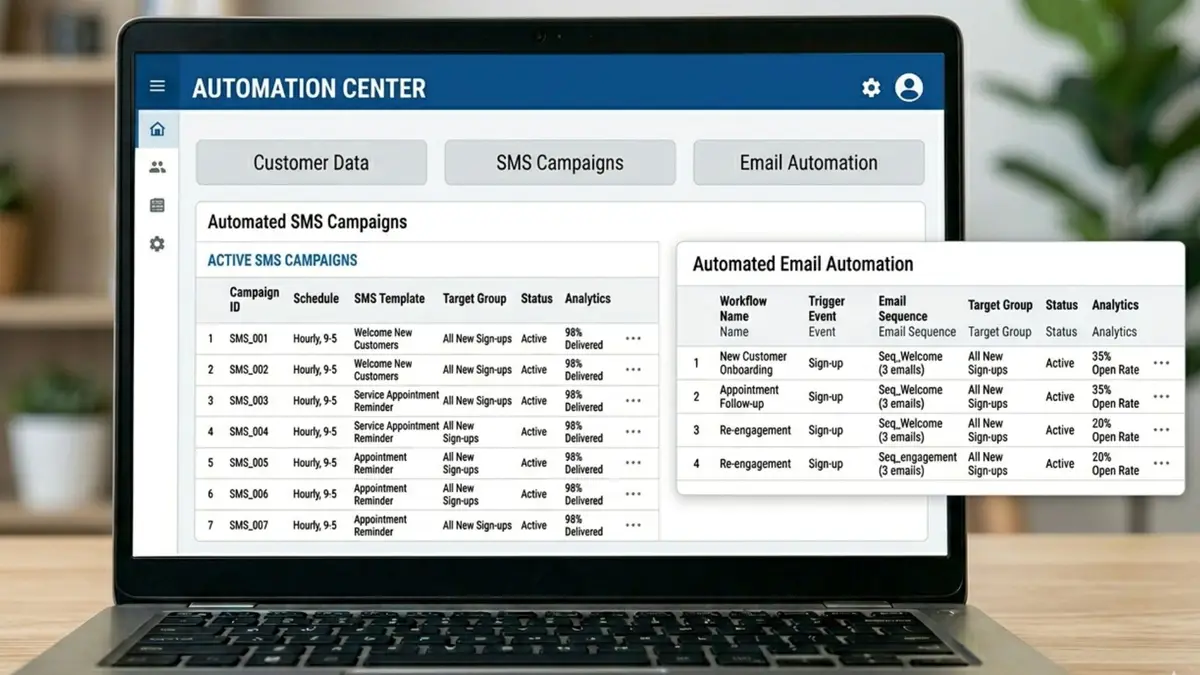
The two‑hour window after a customer drives away is the warmest moment they will ever feel about your shop. The car runs right, the bill matched the estimate, the bay smelled like coffee, not solvent. That is when you ask. Wait three days and the feeling is gone, replaced by whatever the next car or kid or boss is making them feel.
The mechanics of it:
A text message with one short sentence and one link to your Google review page. No survey. No five‑step form. One tap, one screen, one review.
A follow‑up email if the SMS did not land, sent the next morning. Same link. Slightly longer note thanking them by first name.
Never both at once. The two‑hit pattern reads as nagging. SMS first, email as the gentle second pass.
Stop after two attempts per RO. If they did not leave one, they did not want to. Asking a second or third time a week later is how shops earn the “annoying” reputation that the original Reddit question worried about.
This single layer, done well, is the difference between a shop adding 2 reviews a month and a shop adding 15.
From a policy standpoint, this pattern is exactly what Google expects: a business asking for voluntary reviews via direct communication and a review link. You are not gating, not incentivizing, and not pressuring them in the waiting room.
3. The in‑person ask at checkout (without pressure)
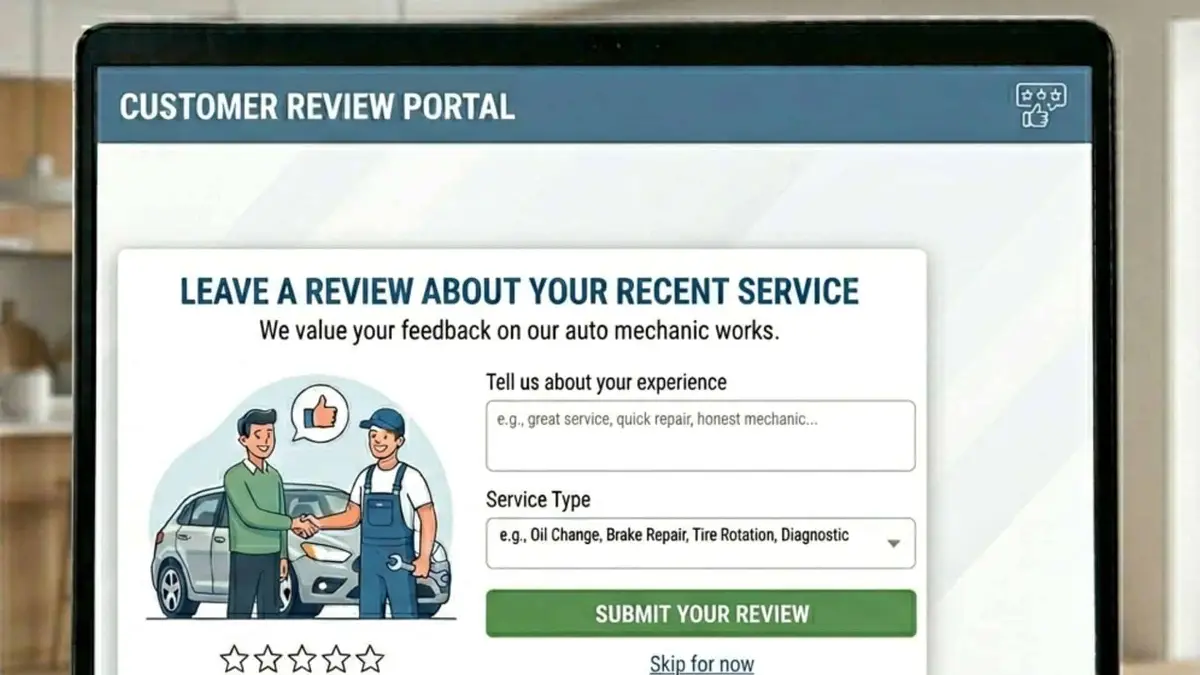
Automation is the heaviest lifter, but the in‑person ask still out‑converts every channel by 2 to 3 times per attempt. A service writer who looks the customer in the eye and says:
“If today was a good experience, you’ll see a text and email from us later today with a link to our Google page. A quick review really helps independent shops like ours stay visible.”
…books reviews at a rate the SMS alone never matches.
This is staff training, not technology. Script it. Practice it in your Monday huddle. Reward it. The shops that ignore this layer leave 30 to 40 percent of available reviews on the floor.
The nuance, in light of Google’s current rules:
You can invite a review at the counter.
You should not require a review at the counter or make it feel like part of the checkout process.
You should let customers complete the review on their own device and time, usually after they leave, which lines up with Google’s emphasis on voluntary, unbiased reviews.
Earlier, I was too aggressive in saying “stop asking at point of sale.” The more accurate best practice is: keep the in‑person ask, remove the pressure and the expectation that it must happen right there.
4. QR codes on receipts, cards, and the lobby wall (used the right way)

Friction kills review intent. Every step between “I want to leave a review” and “review submitted” loses about half the audience. A QR code printed on the bottom of every receipt, mounted on a small acrylic stand in the lobby, and printed on a small card your service writer can hand to the customer as they leave removes the typing. Phone camera, tap, review screen, done.
Use a QR generator that points to your Google review write link directly, not your homepage. Test it monthly. Print fresh stickers when one fades.
Google’s own Business Profile help content tells you to create a review link or QR code and add it to receipts and in‑store materials, as well as sharing the link by email or message. That is the pattern they consider normal: you make it easy for customers to find your review form, but they choose*when and how to use it.
What not to do with QR codes, given the current rating‑manipulation and fake‑engagement rules:
Do not set up a “review station” on a shop tablet or desktop and walk every customer through leaving a review on that one device while they are still in the shop.
Do not herd customers into scanning the QR and writing the review before they can leave, or make the interaction feel mandatory.
Those patterns risk being read as coerced, coordinated engagement and can fall under Google’s definition of rating manipulation or fake engagement, which can lead to reviews being filtered or profiles restricted.
5. Owner response to every review, good and bad, within 24 hours
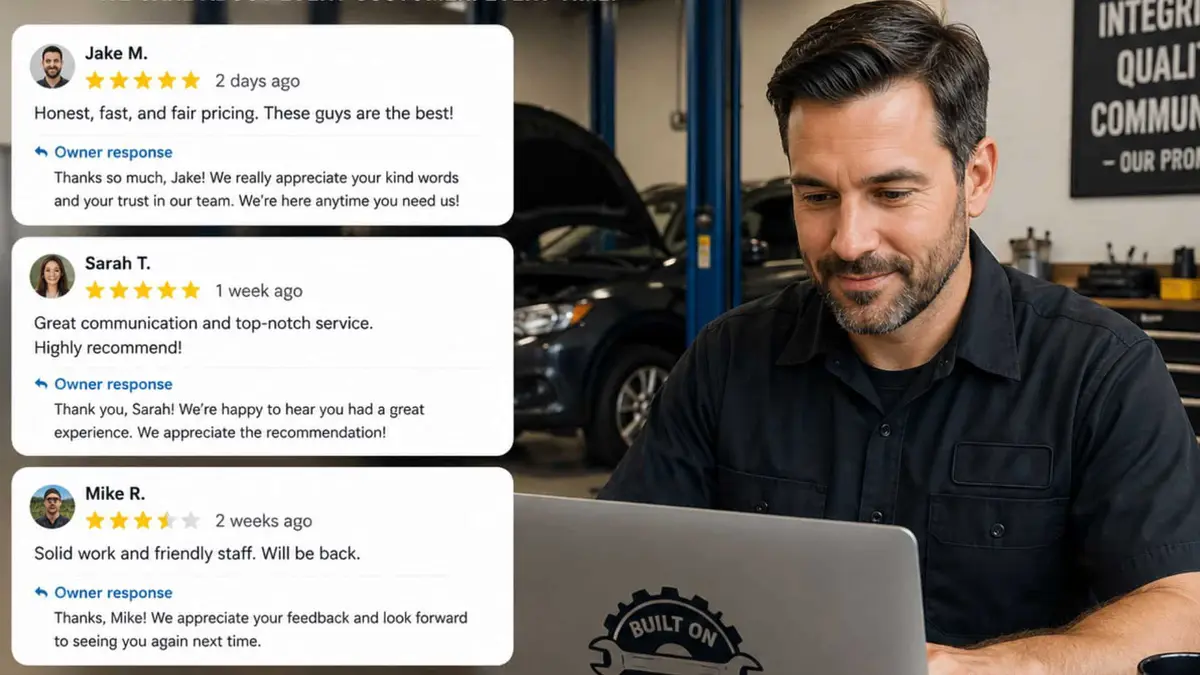
This is the cheapest, fastest, most ignored move on the entire list. Google reads response rate as a quality signal, and customers read responses before they decide whether to call you. The response to a negative review, done well, is often a bigger conversion lever than the review itself.
Good responses are short. Thank by name. Reference the work done. For negative ones, acknowledge the issue, do not argue in public, and offer a direct phone number to make it right. Five sentences max. The owner or general manager handles them, not a bot, not an offshore service. People can smell a templated response in two seconds.
The honest version: most shops install the automation, skip the data hygiene, never train the in‑person ask, and then wonder why the tool “did not work.” The tool worked. The tool fired into a database full of bad numbers and nobody at the counter said the right sentence at checkout.
What Not to Do, in Plain Terms (with 2025–2026 policy updates baked in)
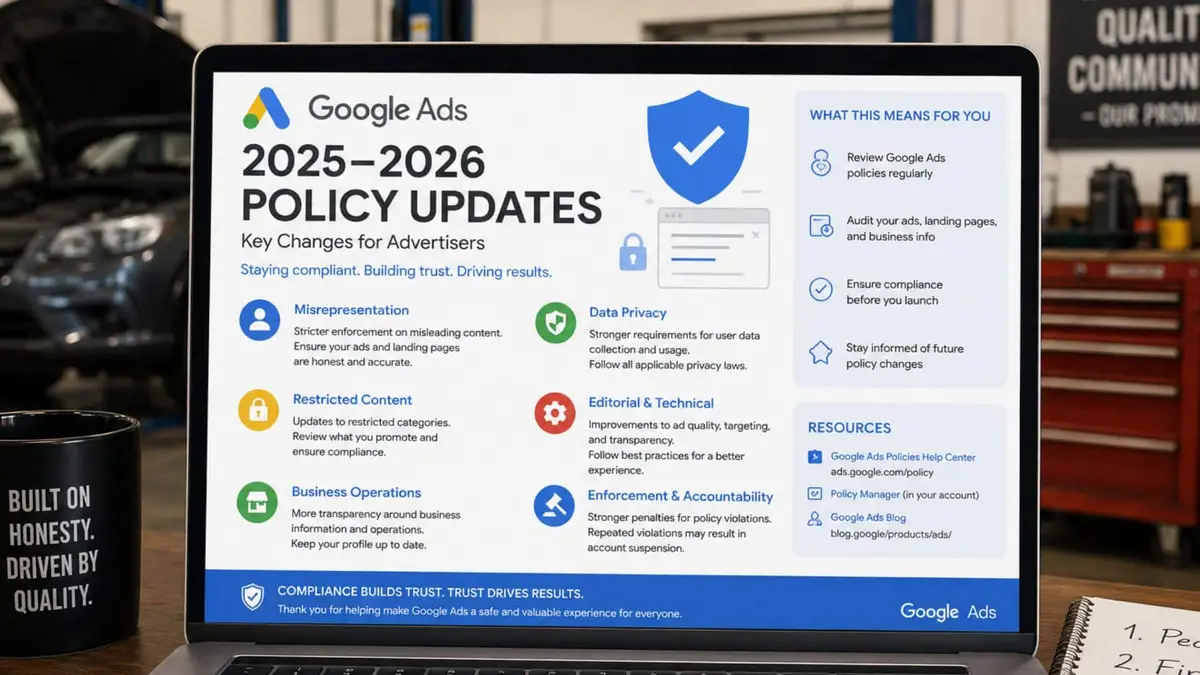
A few moves look like shortcuts and are not. They are torque applied in the wrong direction, and they break things.
Google’s own policy pages explicitly ban incentives, coercion, and campaigns designed to unfairly inflate ratings or suppress honest feedback. Translating that into shop‑floor language:
Do not offer discounts, free oil changes, or any incentive in exchange for reviews. Google’s policies treat incentivized reviews as fake engagement and can remove them or restrict your profile.
Do not buy reviews. Ever. Bought reviews create exactly the kind of pattern Google’s spam systems look for: sudden bursts from accounts with no history or that have reviewed many unrelated businesses.
Do not gate the request based on customer mood. Some agencies pitch “review funnels” that ask the customer first if they had a good experience, and only send the happy ones to Google. This manipulates the rating and violates the requirement that reviews reflect the full range of genuine customer experiences.
Do not send the same customer a review request after every visit. Once per customer, per major repair, is the cadence. Customers who like you and have already left one do not need to be asked again next month.
Do not set review quotas for your staff or script what customers should say. Recent guidance highlights that tying employee performance to review counts or coaching customers to mention specific staff or services crosses into rating manipulation and can get those reviews flagged.
Do not set up in‑shop “review kiosks” or require on‑the‑spot reviews at checkout. Forcing customers to leave a review before they can leave, or funneling a high volume of reviews through the same device/IP, looks like coordinated fake engagement and is specifically warned against in Google’s fake‑engagement and rating‑manipulation guidance.
Do not let your front desk forget the ask because the system is automated. The automation is the floor. The in‑person ask is the multiplier. Both need to be working — but the ask must stay voluntary and low‑pressure.
If you have heard “you can never ask for a review at the counter anymore, you can only email,” that is an overstatement of Google’s actual rules. The real red lines are incentives, gating, coercion, and manufactured patterns, not the fact that a human being politely said “a review would help us” at checkout.
The Math, the Way a Shop Owner Runs It
Here is where the abstract idea of “more reviews” turns into a number you can put on a P&L.
Start with conversion. A Google Business Profile with 47 reviews at a 4.4 average star rating converts visitors to calls at one rate. The same profile, with 250 reviews at the same star rating, converts at a meaningfully higher rate. Industry research on local search consistently shows that crossing the 100‑review threshold, then the 200‑review threshold, lifts call conversion in noticeable steps. The exact lift varies by category, but the direction is settled.
Now layer in pack ranking. Higher review volume plus active velocity plus response rate is one of the top contributors to local pack position. Moving from page two into the 3‑pack roughly doubles to triples the volume of clicks the listing receives, depending on the search and the city. Combine the conversion lift with the click lift and you have a multiplicative effect, not an additive one.
Run a real number. Say your shop’s average repair order is 450 with a 50 percent gross margin, so 225 gross profit per RO. Suppose the review engine, built and run for nine months, adds:
- 6 extra incoming calls per week from improved pack visibility
- A 10 percent lift in call‑to‑booking rate from the social proof of higher review counts and active responses
That is roughly 25 additional calls per month, of which the lift on conversion produces about 12 to 15 incremental bookings. At 225 gross profit per RO, that is 2,700 to 3,375 in additional gross profit per month, every month, with the channel still compounding because reviews from this month feed next month’s ranking and conversion both.
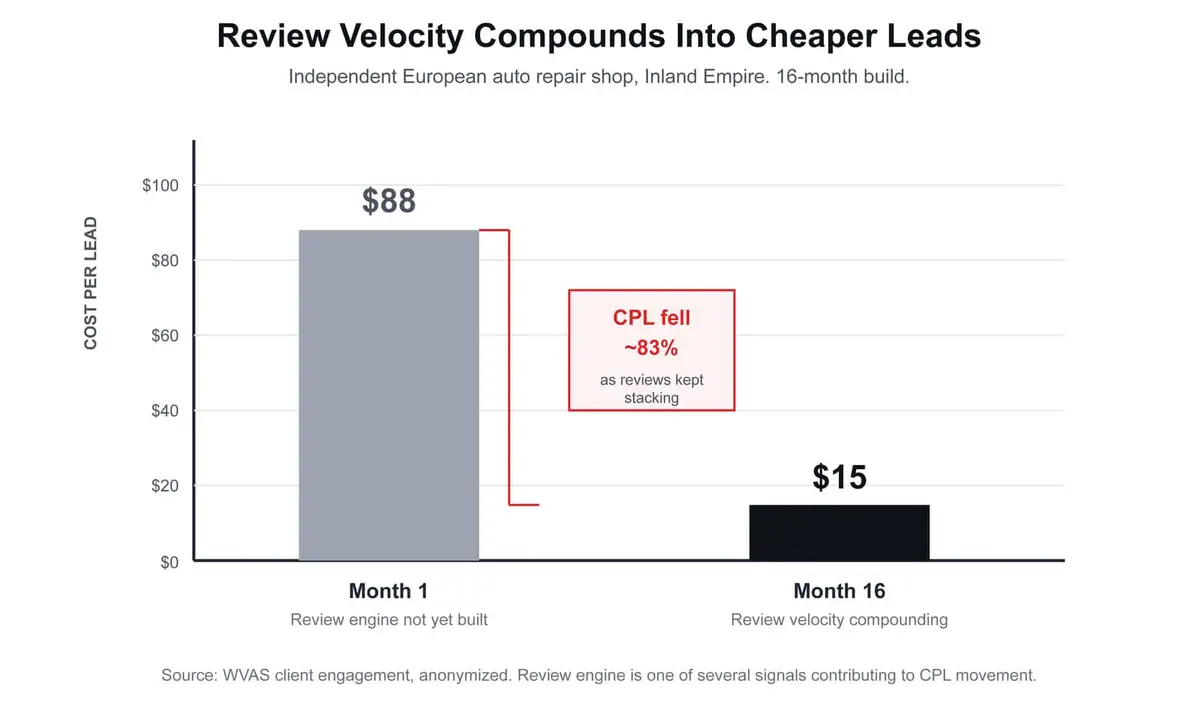
The compounding part is the point. We worked with an independent European auto repair shop in the Inland Empire whose cost per lead at the start of an engagement was sitting in the high 80s. Over a 16‑month build, with the review engine running as one piece of a larger system rebuild, the same shop’s cost per lead settled into the mid teens. The review engine was not the only lever, but it was the one whose effect kept accelerating. Reviews stacked. Velocity stayed steady. The listing got read as alive, trustworthy, and prominent, all at once.
The compounding part again, because owners miss it the first time: every review you collect this month is still working for you in month 24. Unlike paid ads, reviews are equity. They do not turn off when the budget runs out.
What to Do This Week, in Order
If you can give this one afternoon and one staff meeting, do it in this order:te
- Pull your current review count and compare it to your nearest 3‑pack competitor. The gap is your project. Write it on a whiteboard where the team sees it daily.
2. Audit the last 30 ROs in your shop management system. Count how many have a clean mobile number and email. If it is less than 80 percent, the data layer is your first fix, before any automation goes in.
3. Pick one automated review request tool you can deploy this month. Tekmetric, Autoflow, AutoVitals, or a stand‑alone like Birdeye or Podium. Pick on integration with your SMS, not on feature count.
4. Write the 12‑word script your service writer says at checkout. Put it on a small card by the register. Practice it Monday morning until it does not sound rehearsed. Make sure the script invites a voluntary, later review — it should never sound like a condition of service.
5. Reply to every review on your profile from the last 90 days, today. Yes, every one. Five sentences max. Thank by name when you can. For the negative ones, acknowledge the issue and offer your direct line. This single afternoon of work moves your response rate score immediately.
That is the diagnostic. None of it is glamorous. All of it is mechanical. The shops that do it for nine months in a row do not have a review problem at month twelve. They have a review engine that produces leads at a cost that keeps falling.
Policy references (current as of April–May 2026)
Maps user‑generated content policy — overview of what Google accepts and removes in reviews and other contributions.
Prohibited & restricted content (includes rating manipulation rules) — details on incentivized, biased, or otherwise non‑genuine reviews.
Fake engagement – Maps User Generated Content Policy — defines fake engagement and how it applies to reviews and ratings.
Business Profile restrictions for policy violations — how Google can limit reviews or visibility on a profile when it detects violations.
Create a Google link or QR code to request reviews — shows how to generate and share a review link or QR code (including on receipts and in‑store), with a reminder that reviews must be genuine and not incentivized.
Tips to get more reviews — best practices for asking customers to visit a Google link or scan a QR code to leave reviews.
Manage customer reviews — how to read and reply to reviews, and how to share a review request link or QR code.
About missing or delayed reviews — why some reviews don’t show and how policy enforcement can temporarily hide or remove them.
Report inappropriate reviews on your Business Profile — how to flag reviews that violate Google’s policies.
Sources for the policy links and patterns above are taken directly from current Google Business Profile help and Maps contribution policy pages. [support.google]