

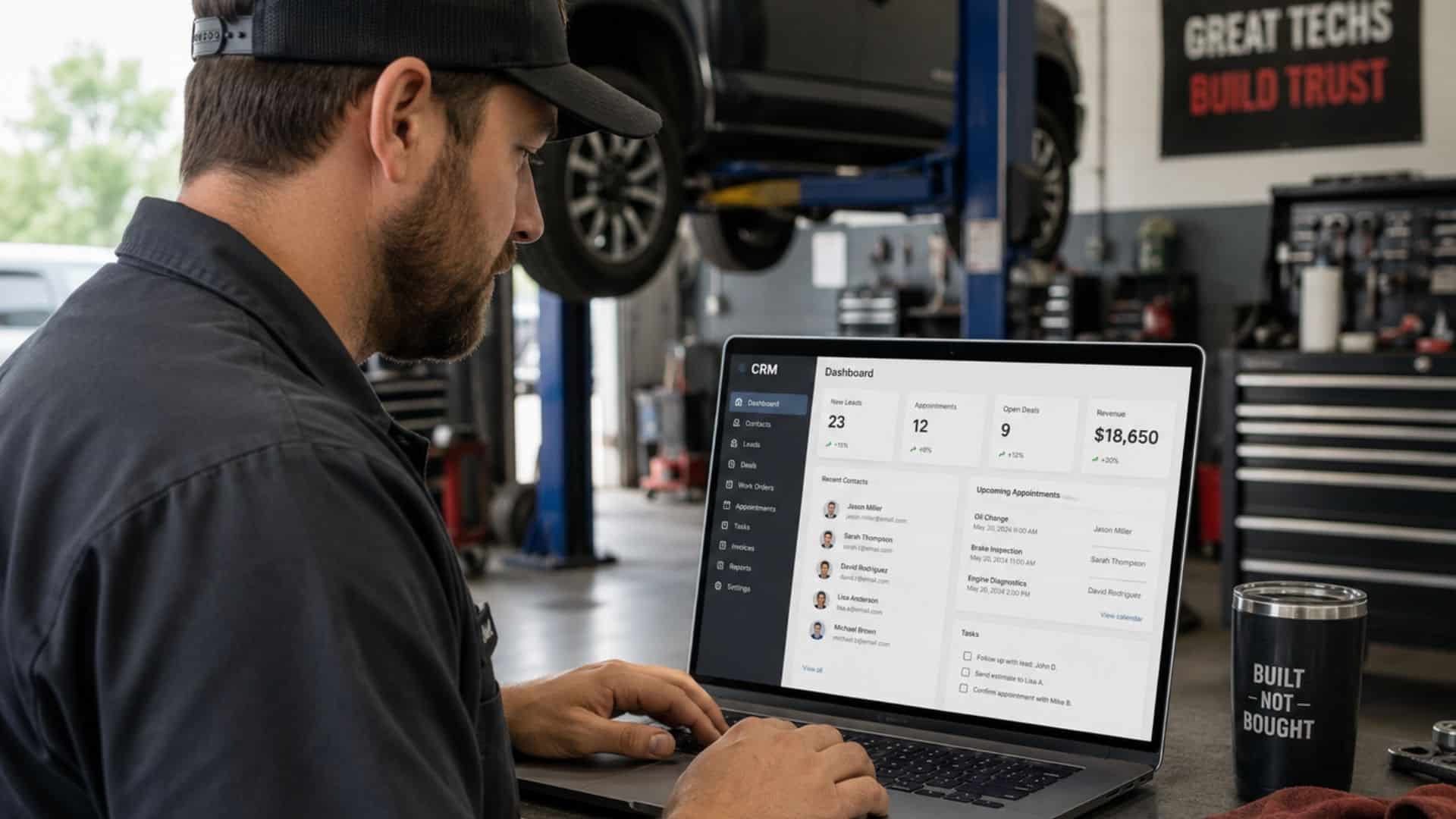
A practitioner's playbook for choosing the platform that holds the marketing engine together, not the one with the slickest demo.
A shop owner sits there with three browser tabs open. Each one is a different CRM platform's pricing page. Each one promises to fix the same problem: customers who came in once, got great work, and never came back. He has a spreadsheet of 1,400 names going back five years. He knows most of them are still driving cars in his service area. He also knows that nobody in his shop has called, texted, or emailed any of them since the day the invoice was paid. Every one of those customers is a leak. The platform he picks is supposed to be the patch.
By Wednesday he has watched four demos, each one slicker than the last, each one quoting a different price for a different bundle of features he is not sure he needs. He has a notepad with 23 features written down. He still cannot tell which platform is right for his shop because he cannot tell which features are the engine and which are decoration. The salespeople will not tell him because their commission depends on him picking theirs.
So let's run the diagnostic the way you would run it on a customer's intermittent electrical problem. We are not going to compare logos. We are going to define what shop CRM software actually has to do, in what order, and the retention math that decides whether the platform you pick earns its keep or sits there as a $300 a month invoice with three logins your team never uses.
The Real Job of CRM Software in an Auto Repair Shop
The platform is not your marketing strategy. It is the chassis the strategy bolts onto. A shop with a working CRM and no marketing plan still has nothing. A shop with a great marketing plan and no CRM has a leak at every joint where the work is supposed to compound.
What the platform does, when it is doing its job, is hold four pieces together that most shops run separately and lose money on every one of them.
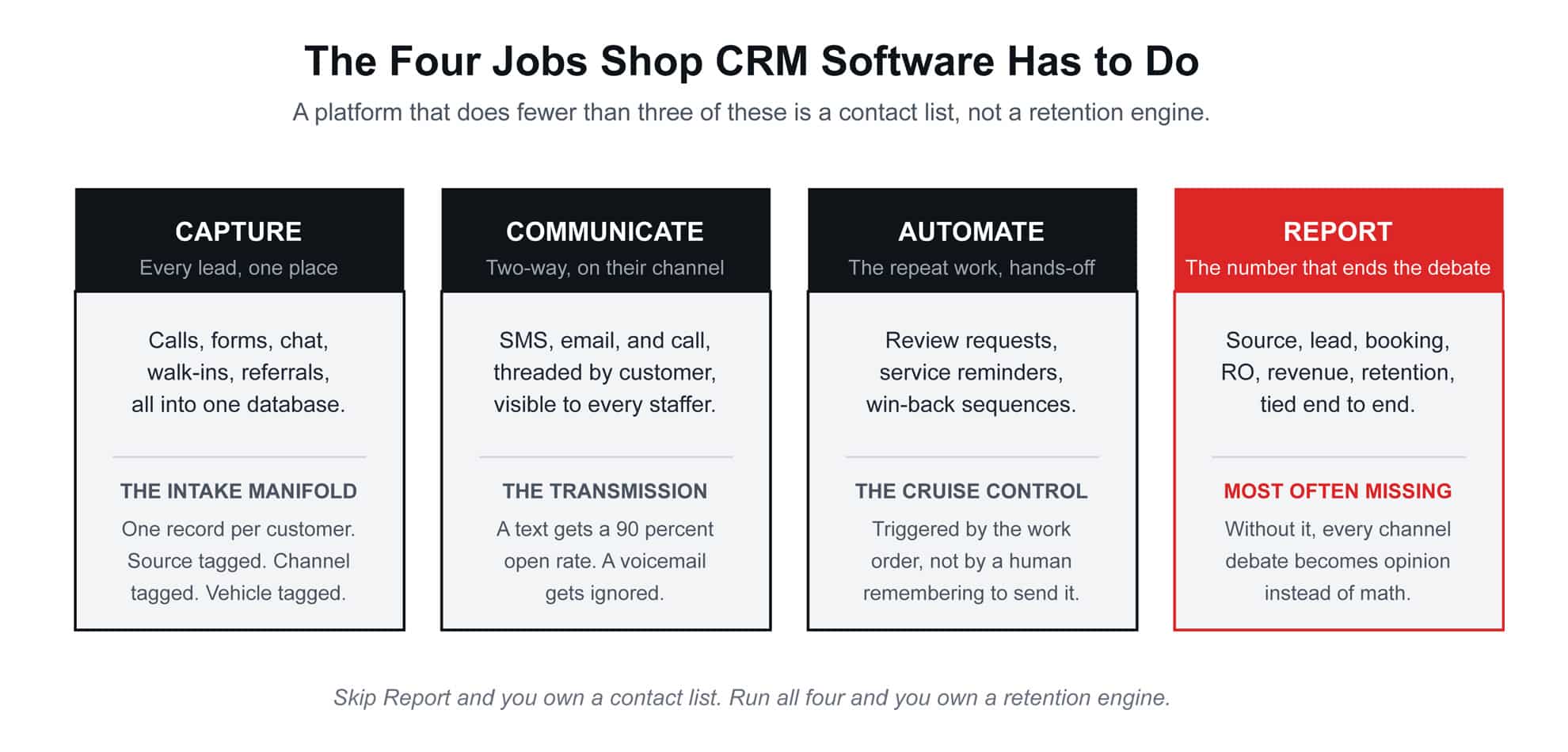
A platform that does fewer than three of those four is a digital Rolodex, not a CRM. The reason most shop owners feel their CRM is "not working" is rarely the software. It is that they bought a tool that does two of the four and tried to run a four-cylinder operation on it.
The first read: stop comparing platforms by feature count. Compare them by whether they can run all four jobs at once. Most cannot, even when their marketing pages say they can.
The Categories of Software, and Why You Cannot Mix Them Without a Plan
There are two genuinely different categories of software in this space, and a third that pretends to be both. Shop owners conflate them constantly, and that is how they end up paying for three platforms that overlap on the easy work and miss the hard work.
The first category is shop management software. This is the system of record for the work itself. Inspections, work orders, parts, labor, technician time, payment, invoicing. It is what your service writers and techs live inside during the workday. Its job is to run the operation. It usually has some customer communication tools bolted on, because the vendor knows shops want them, but communication is not its primary purpose.
The second category is customer communication and marketing automation. This is the system that talks to the customer before the work, between visits, and after the relationship has gone quiet. SMS sequences, email campaigns, review requests, missed-call text-back, lead capture from your website, ad platforms, and chat widgets. Its job is to keep the pipeline full and the retention curve climbing.
The third category, which most independent shops end up buying without realizing it, is the all-in-one platform that combines a thinner version of both. It can run the basic shop workflow and the basic communication automation in one login. Whether that is right for your shop depends entirely on the complexity of the operation. A two-bay specialty shop with one writer can often run everything in an all-in-one. A six-bay operation with three writers and a fleet account will outgrow that all-in-one inside a year.
The honest assessment is this: the more specialized your shop, the more likely you will end up running a dedicated shop management platform for the operation and a separate customer communication platform for the marketing, with a clean integration between them. The simpler your shop, the more an all-in-one can do for you without the friction. Pick by the shape of the operation, not by the slide deck.
The Five Automations to Build, in Order
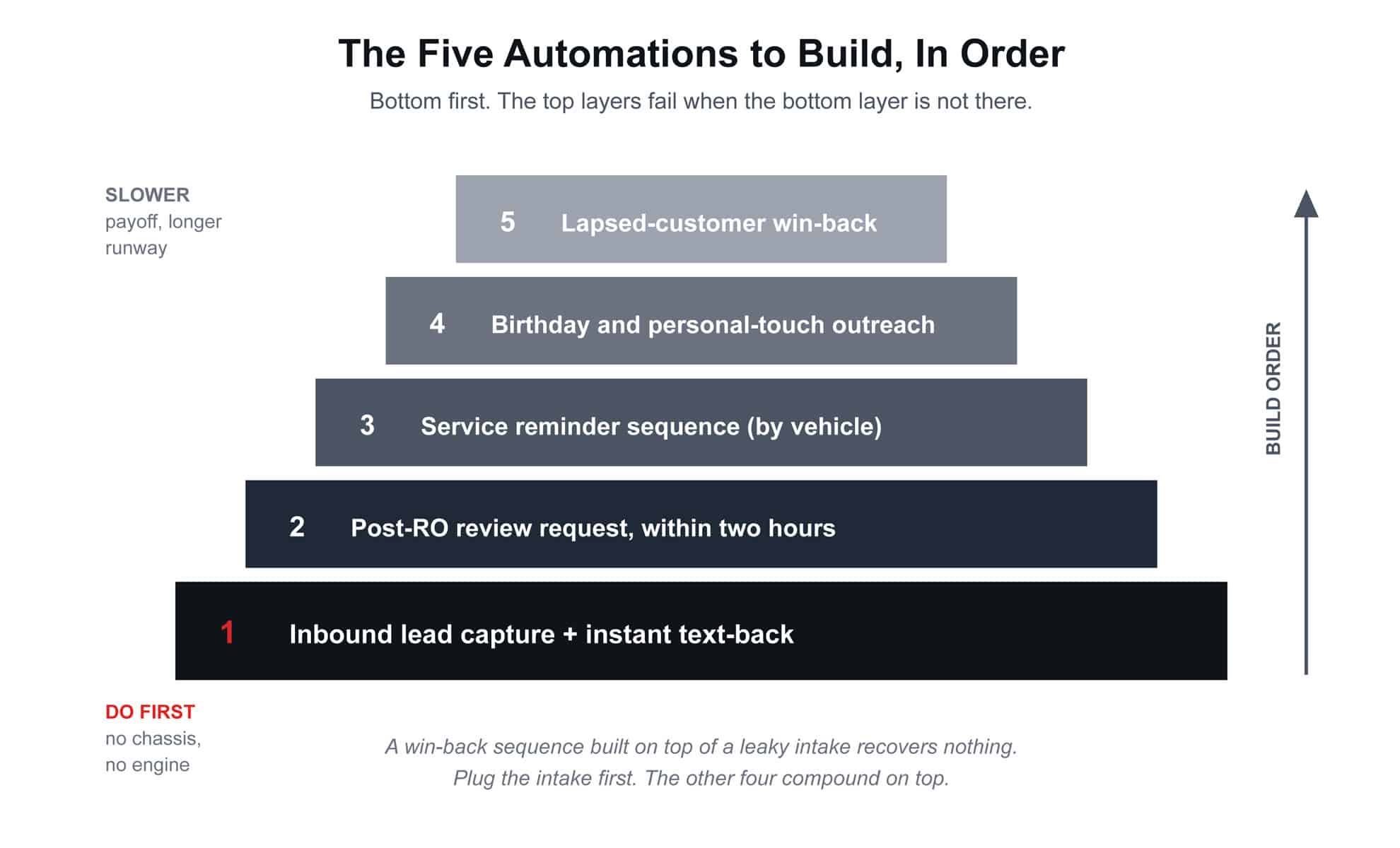
The mistake most shops make after they buy a platform is trying to turn on every feature in the first month. Then nothing gets used, the team revolts, and the shop owner cancels the subscription six months later. The platforms that compound do so because the shop turned on the right automations in the right order and let each one prove its value before adding the next.
1. Inbound lead capture and instant text-back
This is the foundation, and it is also where most shops are leaking the most money right now. A prospect calls during a busy stretch, goes to voicemail, and never calls back. A driver fills out a form on the website at 9:47 p.m. and the shop opens the email at 7:30 the next morning, by which time the driver has already booked the chain down the street.
The fix is mechanical. Every inbound call that hits voicemail triggers an automated SMS back to the caller inside 60 seconds: "Sorry we missed you, this is [Shop Name], we can text or call you back in the next hour, what is the issue?" Every form fill triggers the same kind of acknowledgment. Every chat widget conversation routes to a staffer phone and logs to the CRM. Industry data on missed-call text-back puts the recovered conversion rate at roughly 25 to 40 percent of calls that would otherwise have been lost, depending on the market and the speed of the response. That is real revenue, and it is mostly invisible to a shop that does not have it turned on.
This goes first because nothing else compounds if leads are leaking out the bottom of the bucket before they are even captured.
2. Post-RO review request, within two hours
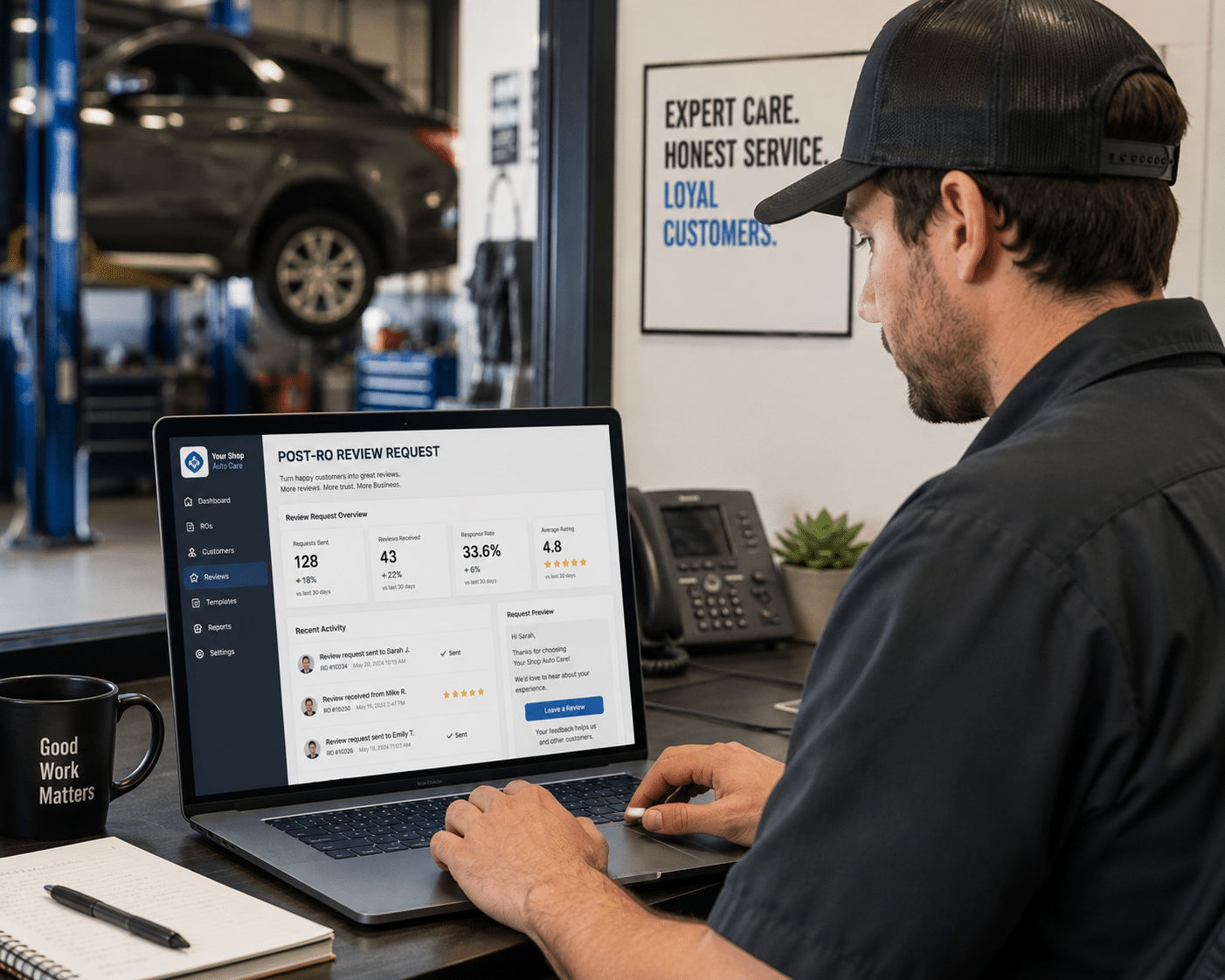
Once the work is paid and the keys are back in the customer's hand, an automated SMS goes out inside two hours, while the experience is still warm. One sentence, one link. "Glad we could get the brakes sorted. If you have a moment, a quick review on Google means a lot. [link]." Nothing else.
The two-hour window is not arbitrary. Industry research on review request timing consistently shows response rates dropping by more than half once the window stretches past the same day, and dropping again past 24 hours. The platform's job is to fire that SMS off the trigger of the closed work order automatically, with no front-desk staffer needing to remember on a busy Friday afternoon.
This is the second build because reviews are the heaviest single ranking signal in local search, and the cheapest place to gain ground on a competitor who is doing nothing systematic about them.
3. Service reminder sequence, scheduled by vehicle
For every car that leaves the shop, the CRM knows the year, make, model, mileage, and the work performed. From that data, the platform builds a personalized service reminder calendar. Oil change every 5,000 miles. Brake inspection every 12,000. Coolant flush, transmission service, timing belt, tire rotation. Each one fires as an SMS, an email, or both, at the right moment for that specific vehicle.
This is the automation that produces what most shops daydream about: customers who actually come back on the right cadence. Without it, you are depending on the customer to remember, and the customer is depending on their dashboard light, and the dashboard light is depending on a sensor that may or may not work. With it, your retention rate climbs without the front desk lifting a finger.
4. Birthday and personal-touch outreach
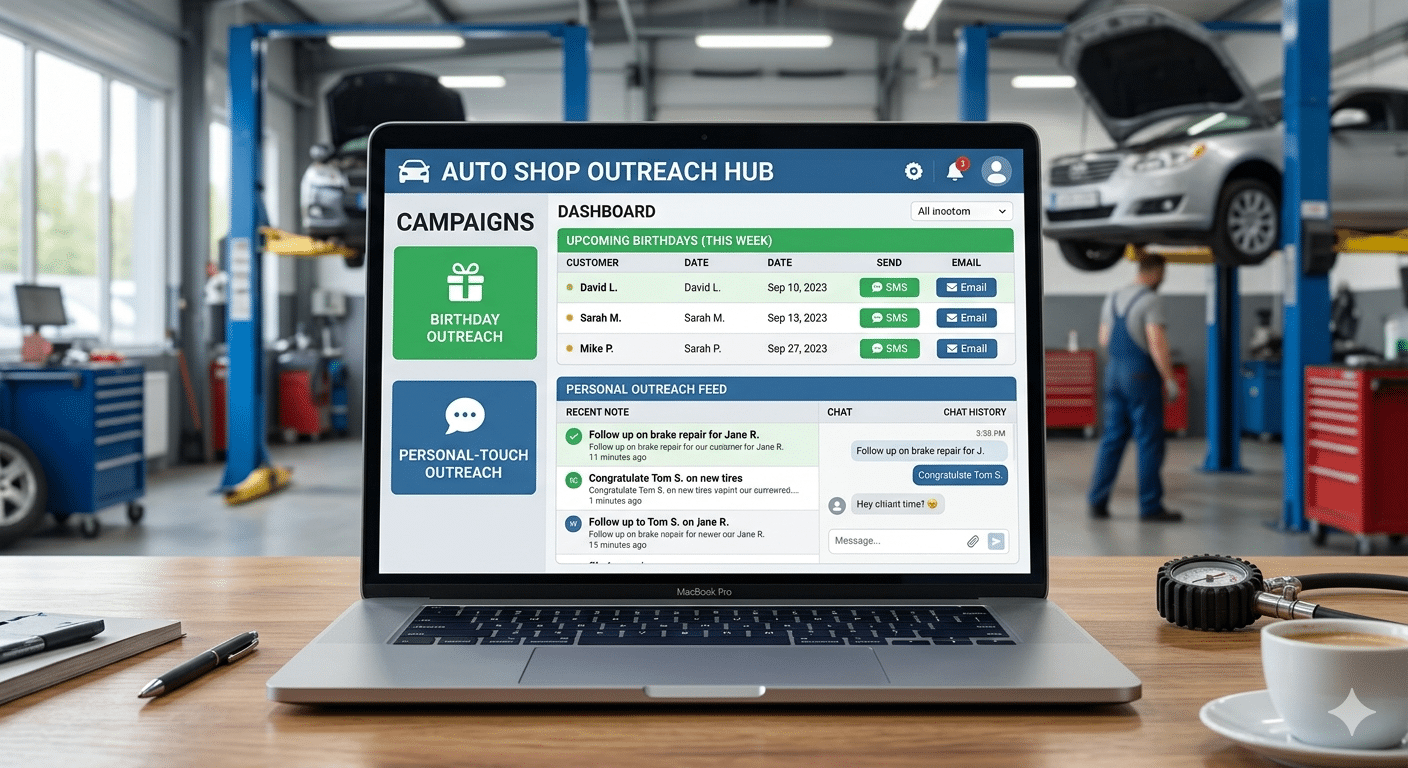
A short text or email on the customer's birthday. A check-in three months after a major repair to make sure the work is still holding up. A note when their warranty is about to lapse. These are the touches that separate a vendor from a shop the customer feels loyal to. The platform handles them on autopilot. They take zero staff time once the templates and triggers are built.
This pillar looks soft. It is not. Industry retention research consistently shows that customers who receive any kind of non-transactional outreach from a service business retain at meaningfully higher rates than customers who only hear from the business when there is a sale to make. The math compounds quietly over years.
5. Lapsed-customer win-back sequence
The customers who came in once and stopped showing up. The ones who used to come in twice a year and have not been back in 18 months. The platform identifies them automatically based on visit recency rules you set, and fires a sequence designed to bring them back: an SMS with a reason to return, an email with a small incentive, a follow-up call from a service writer with the customer's full history pulled up.
The reason this is fifth, not first, is that a win-back sequence built on top of a leaky capture process and a broken review system recovers almost nothing. Plug the intake first. Build the review and reminder engines second. Then come back and harvest the lapsed database with a sequence the rest of the system supports.
The honest version: every shop has automations 4 and 5 on their list of "things we should do." Very few have automation 1 built correctly. The order matters because the early automations carry the weight the later ones cannot.
The Retention Math, the Way a Shop Owner Actually Runs It
Now price the work against the reward, in your own units.
Say your shop's average repair order is $475 with a 50 percent gross margin, so roughly $237 gross profit per RO. Your active customer base is 800 households, and your current retention pattern is that the typical customer visits 1.6 times per year. That is a baseline annual gross profit of roughly $303,000 from your existing customer database, before any new acquisition.
Now run the math on a CRM that lifts retention by even a modest amount. Industry studies on automated customer communication platforms in service businesses report retention lifts of 20 to 40 percent for shops moving from manual follow-up to a real automation backbone. Take the conservative end. A 20 percent retention lift moves your typical customer from 1.6 visits per year to 1.92 visits per year. Same customers, same shop, same techs.
The math: 800 customers, 0.32 incremental visits per year per customer, equals 256 additional ROs per year. At $237 gross profit per RO, that is roughly $60,700 in incremental annual gross profit from existing customers alone, before any of the recovered missed-call revenue, before any of the win-back recoveries, before any of the new leads the cleaner intake captures off your website.
Against a platform cost of $200 to $600 a month, depending on the tier and the bolt-ons, the math is not close. The reason most shops do not see those returns is not the platform. It is that they bought it and never turned on the automations that produce them. The software cannot retain customers by itself. It retains customers when the automations are built, the templates are written for the shop's voice, the triggers are wired into the work order system, and a staffer reviews the dashboard every month to see what is working and what is not.
The compounding part is the point. Every additional visit you recover this year is also a customer more likely to refer, more likely to leave a review, more likely to come back next year. The CRM does not just lift retention once. It compounds the retention curve.
A Brief Look at What a Built Automation Backbone Actually Produces

When the platform is doing its job inside a real system, the effect shows up most clearly in lead volume, because the same backbone that retains customers also catches and converts every prospect the marketing channels are bringing in. The platform is not the engine. The marketing channels are the engine. The platform is what keeps every cylinder firing instead of leaking compression out the joints.
A Southern California RV service and paint operation we worked with started a build cycle with roughly ten leads per month coming in through all channels combined. That number was not unusual for the size and category of the operation. What was unusual is what happened when the marketing channels were rebuilt with a unified CRM and automation backbone sitting underneath them.
Over the same cycle, the GBP was fully optimized, service-specific landing pages were built, paid ads were wired into the platform's call tracking, review requests fired automatically off every closed work order, service reminders ran on schedule, and the customer database was activated with a real follow-up sequence. The CRM did not create those channels. The CRM held them together so every channel's output flowed into the same database, every customer record told a complete story, every lead got followed up, and every booked job triggered the next automation in the chain.
By the end of the cycle, monthly lead volume had climbed to 147. Cost per lead settled around $16, down from roughly $80 when the channels ran in isolation without the backbone. GBP map views grew by a factor of 51 over the same period as the review velocity and profile freshness compounded.
The platform did not produce any of those numbers by itself. The platform made it possible for the marketing channels to produce them without leaking at every handoff. That is the difference between software-as-strategy (a mistake) and software-as-chassis (the actual job).
How to Evaluate a Platform Before You Sign
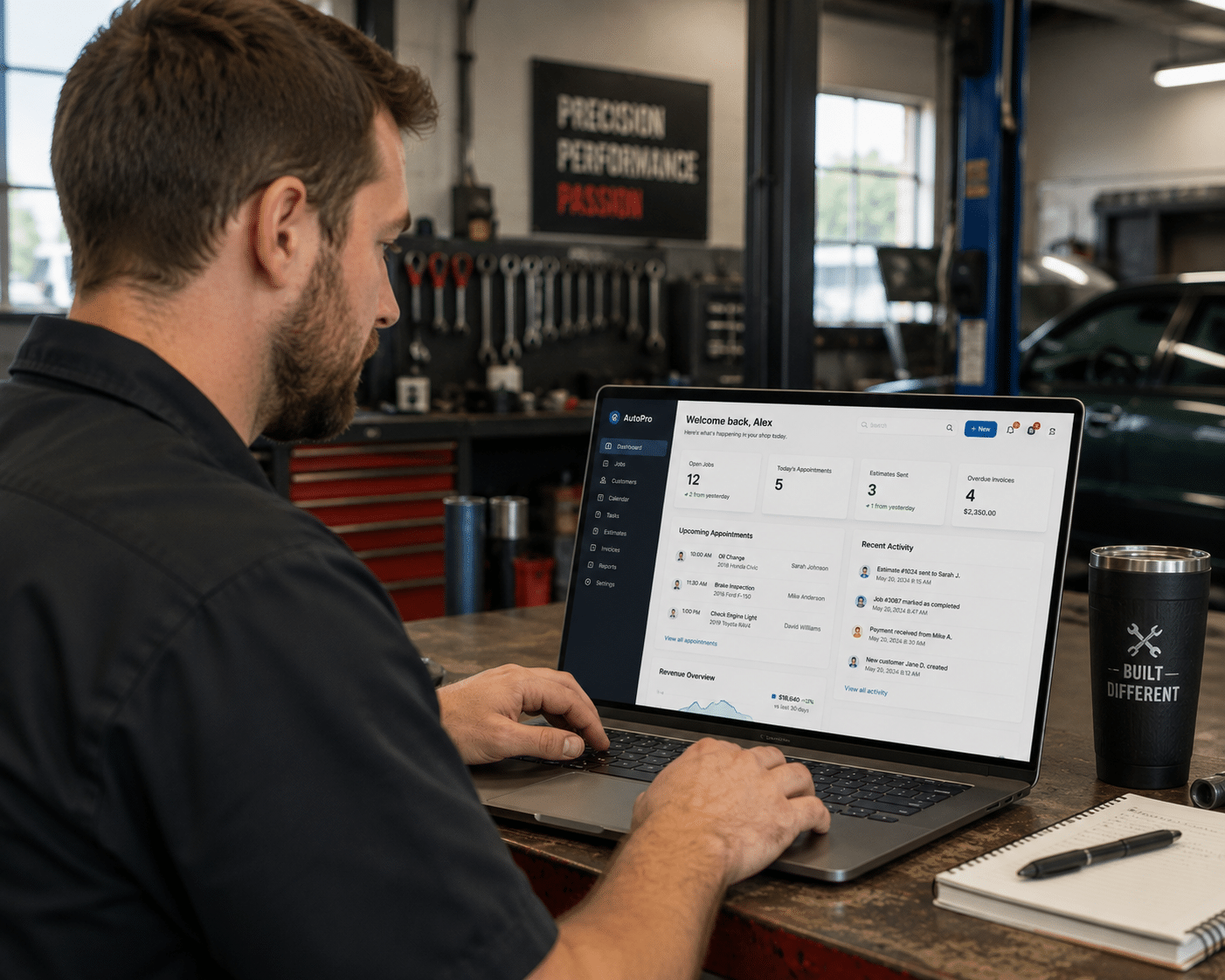
Most platforms will demo well. The demo is not what you are evaluating. You are evaluating whether the platform can run the four jobs and host the five automations for your specific shop, with your specific staff, in your specific category. Use this checklist on every demo:
Does the platform integrate with your shop management software, or replace it cleanly? A CRM that lives in a separate database from your work orders creates double entry, and double entry means nobody enters anything. Either the integration is real and live, or the platform replaces shop management entirely.
Does it support two-way SMS as a first-class feature? Not "you can send SMS." Two-way, threaded by customer, visible to every staffer, archived to the customer record. SMS is the channel customers actually respond on. If it is bolted on, it will fail in practice.
Does it have a real automation builder, not just a list of templates? You will need to customize the triggers, the timing, and the language for your shop and your voice. A platform that only ships canned sequences will lock you into someone else's idea of what your shop sounds like.
Does it produce a real reporting layer that ties source to revenue? Ask to see a dashboard that shows lead source, booking rate, RO count, and revenue tied back to channel. If the platform cannot show that view, the reporting job is not built, and you will be running marketing on opinion forever.
What is the actual cost at your shop's scale, after the contact count exceeds the entry tier? Most platforms price by contacts, by SMS volume, by users, or some combination. Run the math at 5,000 contacts and 2,000 SMS per month, not at the entry-level demo numbers, and ask for that quote in writing.
Who configures the automations, you or them? A platform with a great feature list and a "you build it yourself" setup model usually goes unused. A platform with a structured onboarding that builds your first five automations with you usually gets adopted. Setup support is a feature, not a bonus.
What to Do This Week, in Order
If you can give this one afternoon and one staff meeting, do it in this order before you sign anything:
1. **List every place customer data currently lives in your shop right now. The shop management system, the writer's phone, the receptionist's notebook, the chat widget inbox, the Google Ads call log, the QuickBooks contact list. Count them. If it is more than two, your fragmentation is the project.
2. Pull last month's missed call log from your phone system. Count the calls that went to voicemail. Multiply by your average gross profit per RO and a conservative 30 percent recovery rate. That number is the floor on what missed-call text-back alone is worth to your shop.
3. Pull last month's closed work orders and count how many triggered an automated review request. If the number is zero, that is your second-highest leak, and the second automation in the build order.
4. Pull a list of customers who have not visited in 12 months. Count them. Multiply by your average annual RO value at typical retention. That number is the size of the database you are not currently mining, and the case for the platform pays for itself off that one number alone.
5. Before you watch a single platform demo, write down the four jobs and the five automations on one page and rank them by what your shop needs first.
Take that page into every demo and ask the salesperson to show you, on their actual platform, exactly how their system does each one for an auto repair shop. Platforms that cannot answer that on the spot are not built for your operation, no matter what the marketing page says.
That is the diagnostic. None of it requires you to commit to a platform. All of it determines which platform should be on your shortlist when you do.
The shops that get years of compounding retention out of a CRM did this work first. The shops that bought a platform on the strength of a sales call and canceled six months later did not. Same platforms, different chassis underneath.
If you want a faster read on which part of your shop's digital intake and retention layer is leaking right now (the GBP, the review engine, the website conversion path, or the follow-up sequence a prospect never gets), the GBP Leak Report runs the diagnostic on your shop's full local marketing system and shows you where the engine is misfiring. No admin access required. We look at what the rest of the internet sees, what your competitors look like next to you, and what the platform you eventually pick will actually need to do to earn its keep.